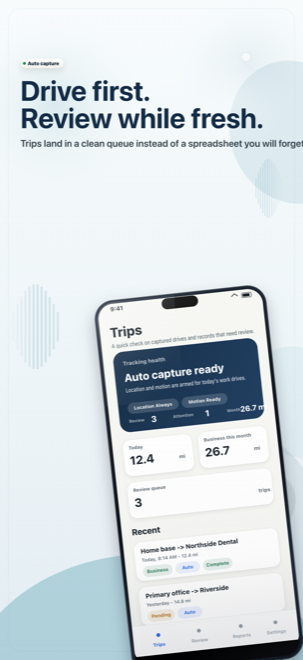
Capture work drives
Client visits and supply runs become drafts before details fade.
Product
MileLedger is organized around one yearly habit: capture work drives automatically, review business versus personal versus commute, add purpose and client/job context, then export records that make sense later.
Product proof
Capture, review, classify, and export are separate enough to stay clear, but close enough that tax-time cleanup does not become the product.
Client visits and supply runs become drafts before details fade.
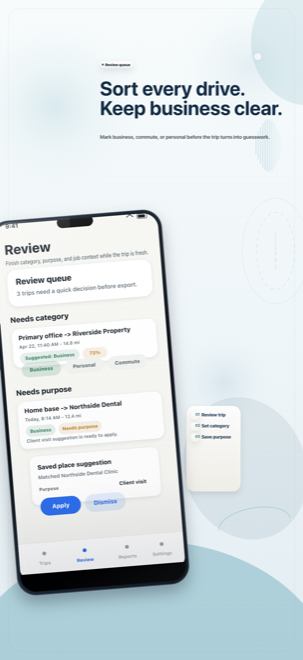
Unfinished trips stay visible while the job is still fresh.
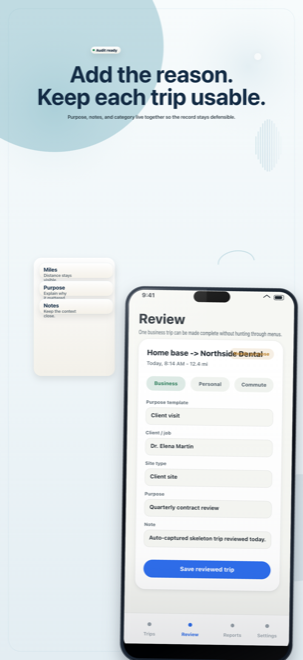
Business, commute, and personal choices stay explicit.
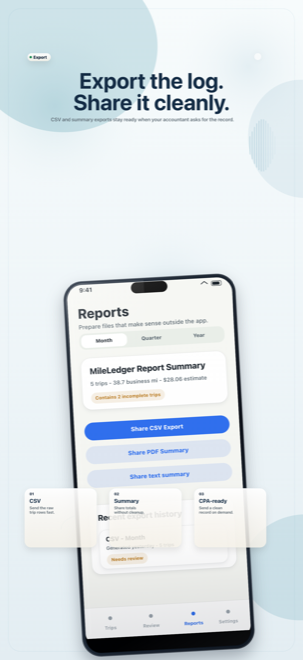
Package mileage totals and context for tax-season review.
App surfaces
Trips
Shows tracking health, recent work-drive drafts, pending review, and the manual fallback when a drive needs correction.
Review
Turns captured trip drafts into cleaner records through category, purpose, client, job, and site context.
Reports
Previews monthly, quarterly, and yearly totals with CSV and readable summary exports for the user or their CPA.
Settings
Keeps saved places, vehicle, profession, mileage rate, permissions, and privacy controls understandable.
Operating loop
Capture
Automatic trip drafts are the main path for client visits, job sites, estimates, and supply runs, with manual entry kept as a real fallback.
Review
The review queue keeps unfinished and low-confidence records visible so category, purpose, and context can be fixed before tax season.
Add context
Service work needs more than a mileage total. MileLedger keeps the reason for the drive close to the record.
Export
Monthly, quarterly, and yearly exports keep business miles, review status, and context together for the user or their CPA.
Point of view
A pile of map history, calendar guesses, and partial mileage notes is too fragile for a self-employed worker who drives every week.
MileLedger keeps capture, review, purpose, and export in one loop so the record is built while the work is happening.
Tracking health, low-confidence trips, and incomplete records should be visible before export, not discovered after the year is over.
Permissions
Show why tracking matters before asking for background behavior. The product should earn permission, never ambush for it.
If a user declines location access, the app still needs a credible manual path so basic use is never held hostage.
A calm product still explains whether capture is working, paused, or needs attention. Silent failure erodes trust faster than visible friction.
Download